Agent Pixels
Docs reviewedWe read the code and docs, but haven’t run it ourselves.
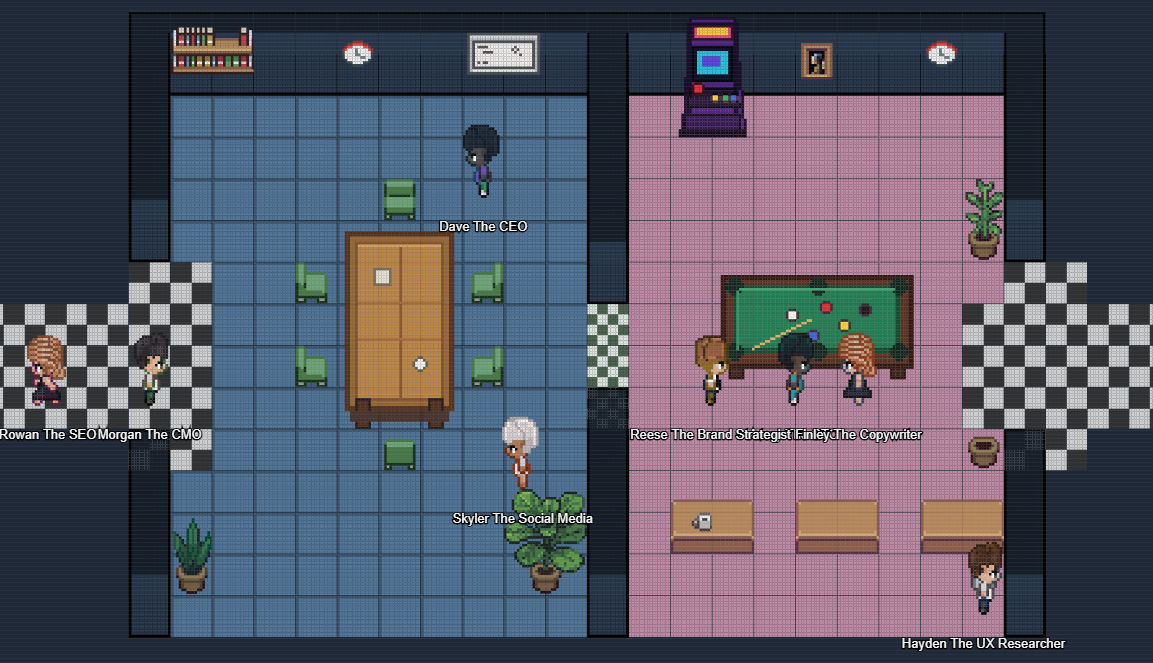
See your agents in a multi-room pixel office. Choose camera views and assign character sprites. The maintainer provides a built release ZIP and a source-build route.
gcampton/Agent-Pixelsv0.1.0GitHub stars: 141Updated
Our take
Use the release ZIP if you do not have the Paperclip source checkout. Building from source requires a built Paperclip plugin SDK. Docker installs must use a path visible inside the container.
Based on the repo as of . Read the README (opens in a new tab)
What it does
- Multi-room office and camera views
- Agent work and idle activity
- Assignable character sprites
Install
- Download the built release ZIP from the repository’s Releases page.
- Unzip it into a Paperclip plugins folder.
- Follow the README to install it by local path. Use the container path for Docker.
Reviews
No reviews yet. Tried it? Tell others how it went.