Web Analytics
Tested
A website traffic widget, full analytics report and company-specific connection settings. Compare visitors or users, pageviews, sessions, bounce rate and session duration across 7, 30 or 90 complete days, then explore top sources and pages. Connect Plausible Cloud, Google Analytics 4, or both.
eimkasp/paperclip-plugin-web-analyticsv0.1.0GitHub stars: 0Updated
We built this one.
How we tested it
We installed it on our own Paperclip and tried it with sample data. We haven’t connected live Plausible or GA4 accounts yet.
Testing details
Checked on 2 Oct 2026 with Paperclip 2026.831.1: nine adapter and security tests passed, and we checked desktop, mobile, separate settings per company and saving settings.
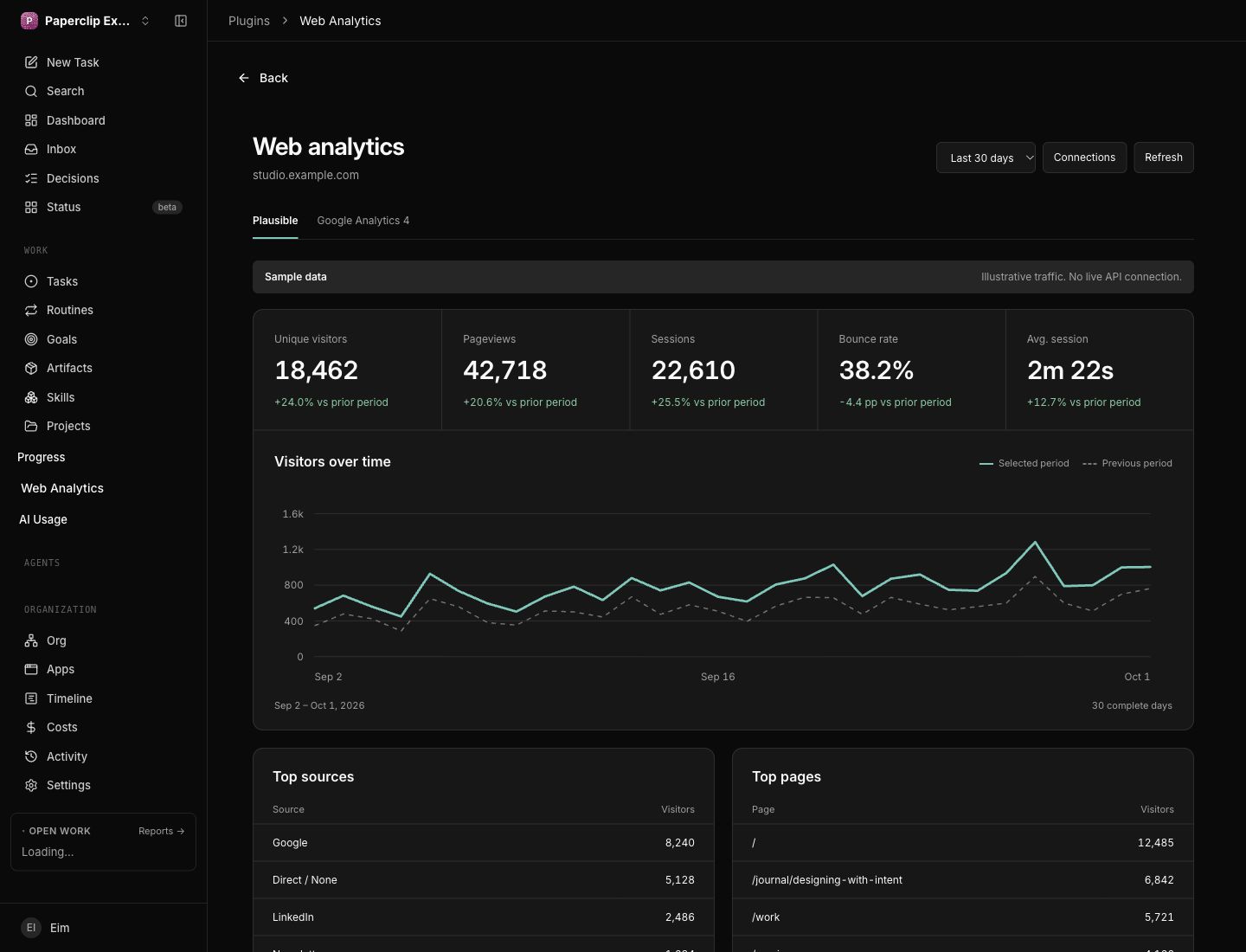
What it does
- Dashboard widget and full traffic report
- Plausible Stats API v2 and Google Analytics 4 Data API
- Independent company connections with secure secret references
- 7, 30 and 90 complete-day comparisons
- Daily trends, top five sources and top five pages
- Connection tests, responsive light/dark UI and clearly labelled sample mode
Install
Install it from GitHub; it isn’t on npm. Plausible needs Stats API access and GA4 needs a service account with Viewer access. Sample mode works without either.
Requires Paperclip v1 plugin API with company-scoped secret bindings · Node 24.11+.
git clone https://github.com/eimkasp/paperclip-plugin-web-analytics.git
cd paperclip-plugin-web-analytics
npm ci
npm run verify- Clone and build the plugin.
- In Paperclip Settings → Instance → Plugins, install from the absolute checkout path.
- Open Web Analytics → Connections in the intended company. Store or select a company secret, save, and test the connection.
Reviews
No reviews yet. Tried it? Tell others how it went.